To install our application, you do not need either Google Play or the App Store, it is enough that your phone supports PWA (Progressive Web Applications) technology. Latest iOS and Android support PWA.
You must have the Chrome browser from Google installed, the installation is done from it.
Open the home page of our site through Chrome. After the first launch of the site, a panel will appear at the bottom with a proposal to install the application.
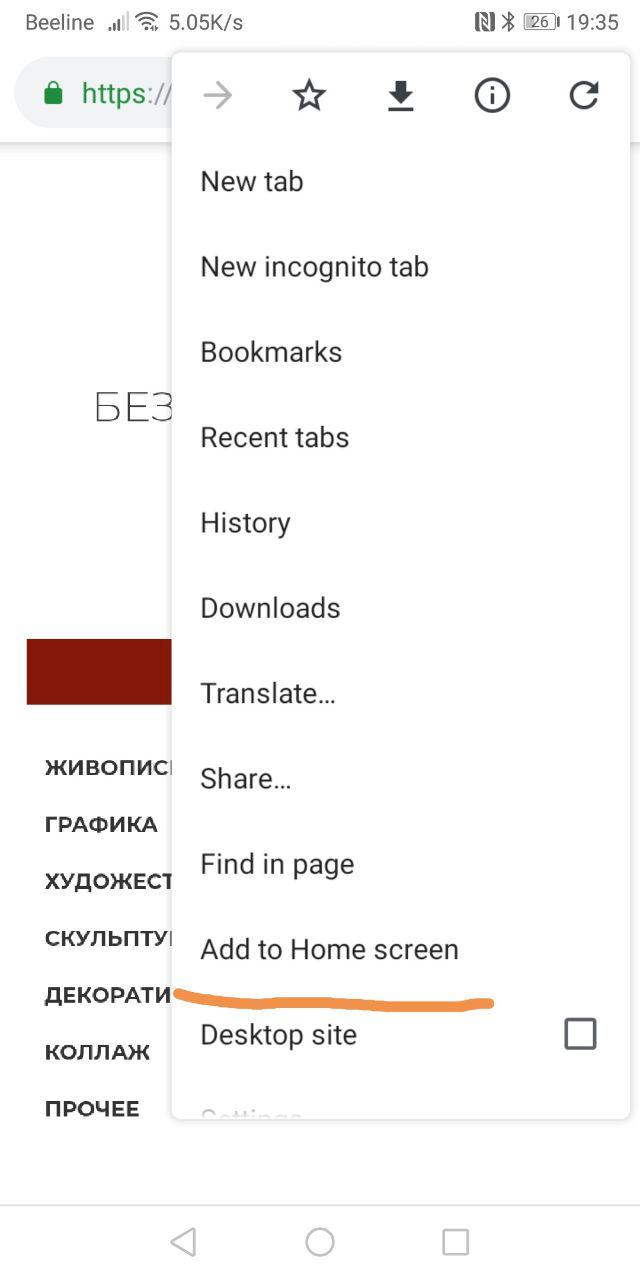
If you accidentally closed or missed this panel, then you need to click on the menu button on the top right and click on the "Add to home screen" menu.
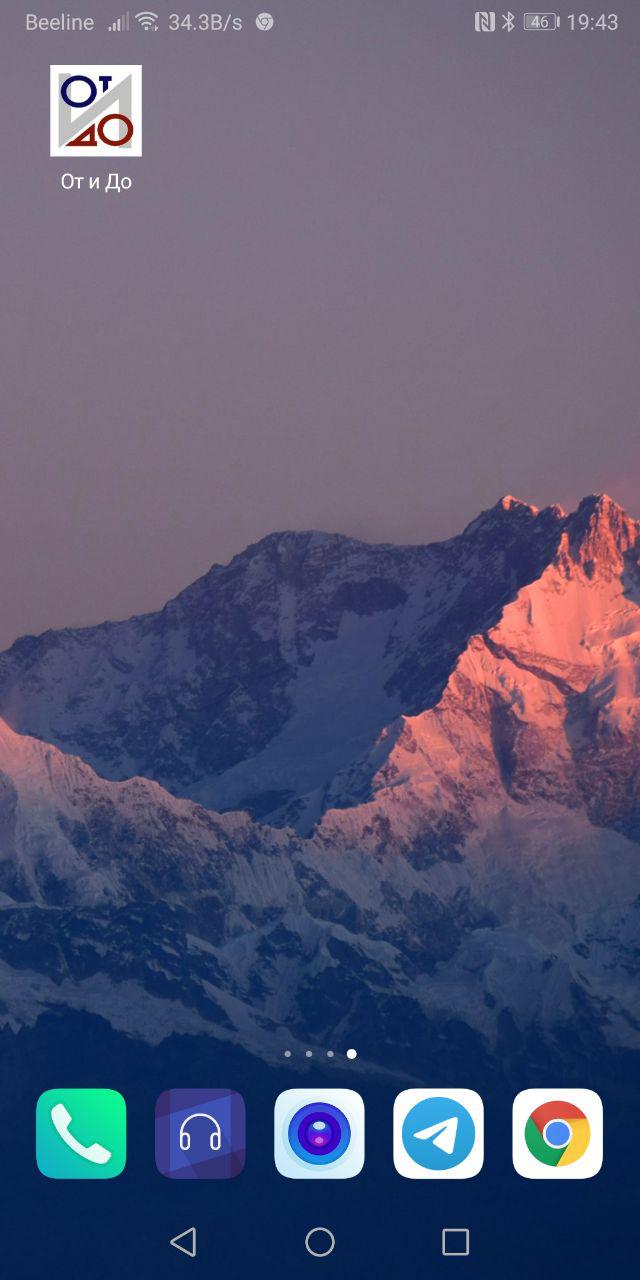
After installation, the application icon will appear on the home screen of your phone.
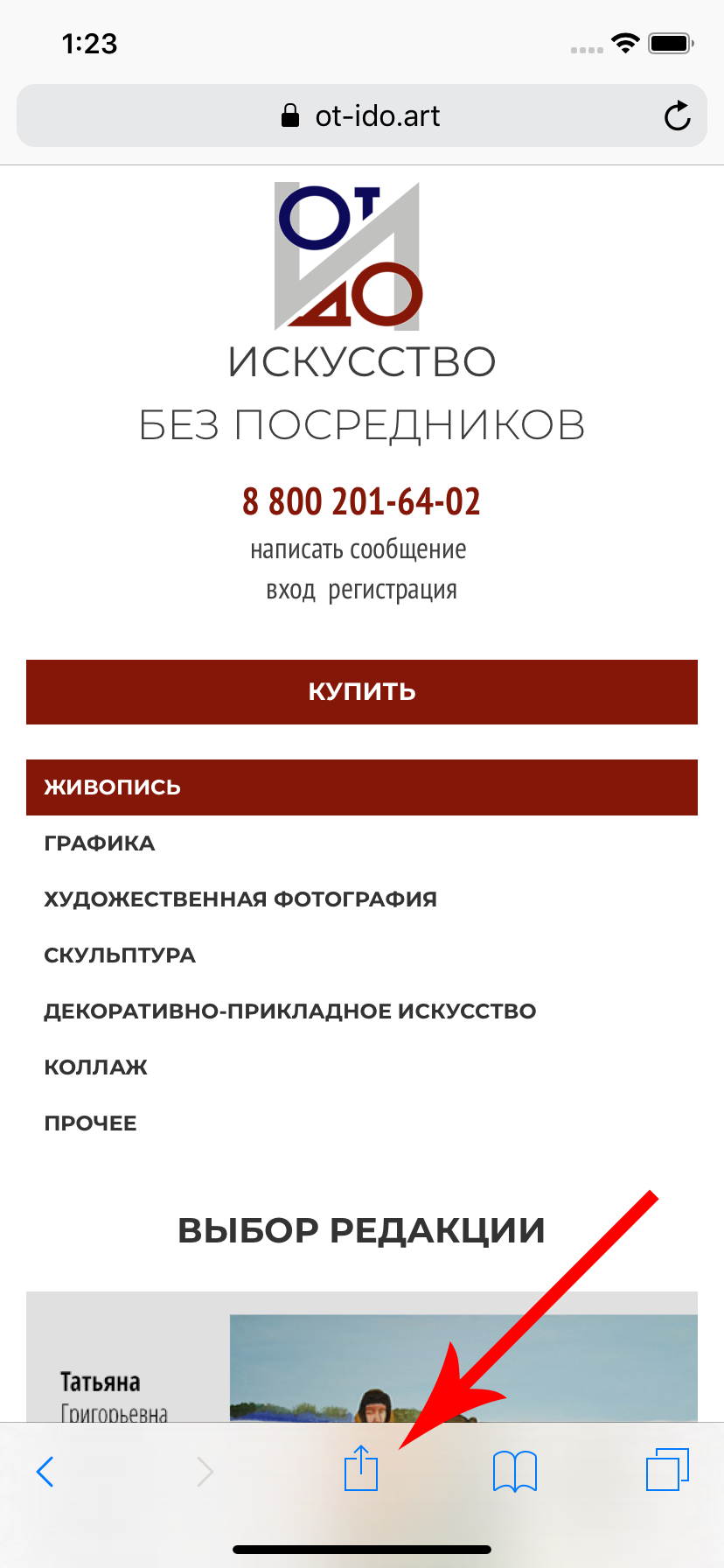
Open the home page of our site through Safari. Next to the "Forward" and "Back" navigation buttons, click the "Share" button
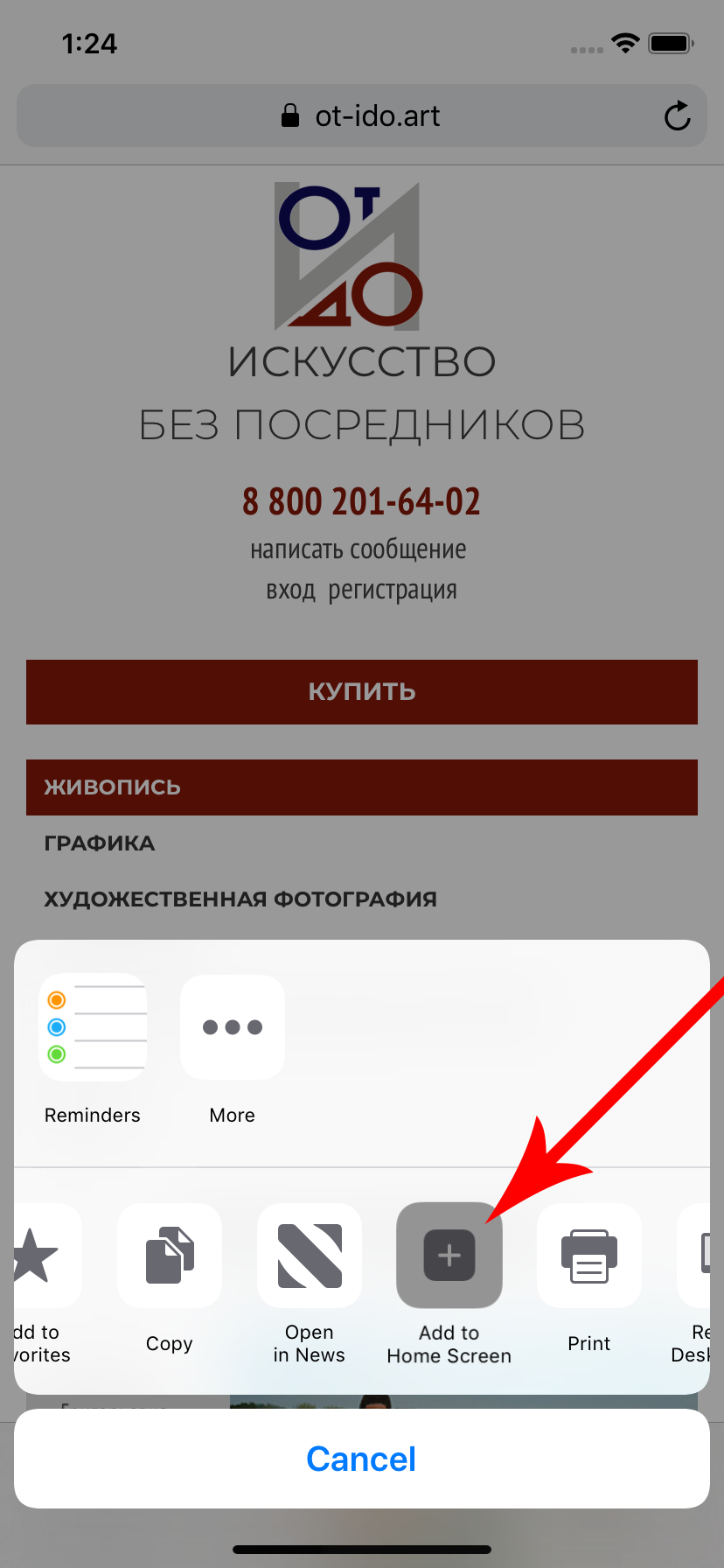
After that, scroll through the icons, you should see an icon - Go to the "Home" screen, click on it.
The application icon will appear on your phone's home screen.
To install our application, you do not need either Google Play or the App Store, it is enough that your phone supports PWA (Progressive Web Applications) technology. Latest iOS and Android support PWA.
You must have the Chrome browser from Google installed, the installation is done from it.
Open the home page of our site through Chrome. After the first launch of the site, a panel will appear at the bottom with a proposal to install the application.
If you accidentally closed or missed this panel, then you need to click on the menu button on the top right and click on the "Add to home screen" menu.
After installation, the application icon will appear on the home screen of your phone.
To install our application, you do not need either Google Play or the App Store, it is enough that your phone supports PWA (Progressive Web Applications) technology. Latest iOS and Android support PWA.
Open the home page of our site through Safari. Next to the "Forward" and "Back" navigation buttons, click the "Share" button
After that, scroll through the icons, you should see an icon - Go to the "Home" screen, click on it.
The application icon will appear on your phone's home screen.
Укажите ваш Email, на который хотите получать уведомления

To complete registration, go to the email specified during registration